

Distillery
Team Knowledge, Distilled
Capture, classify, connect, and surface team knowledge through conversational commands.
Documentation · Skills · Quick Start · Roadmap · Slides




What is Distillery?
Distillery is a team knowledge base accessed through Claude Code skills. It refines raw information from working sessions, meetings, bookmarks, and conversations into concentrated, searchable knowledge — stored as vector embeddings in DuckDB and retrieved through natural language. Runs locally over stdio or as a hosted HTTP service with GitHub OAuth for team access.
Distillery captures the highest-value transformation — from noise to signal — and makes it a tool the whole team can use.
Full documentation: norrietaylor.github.io/distillery
Skills
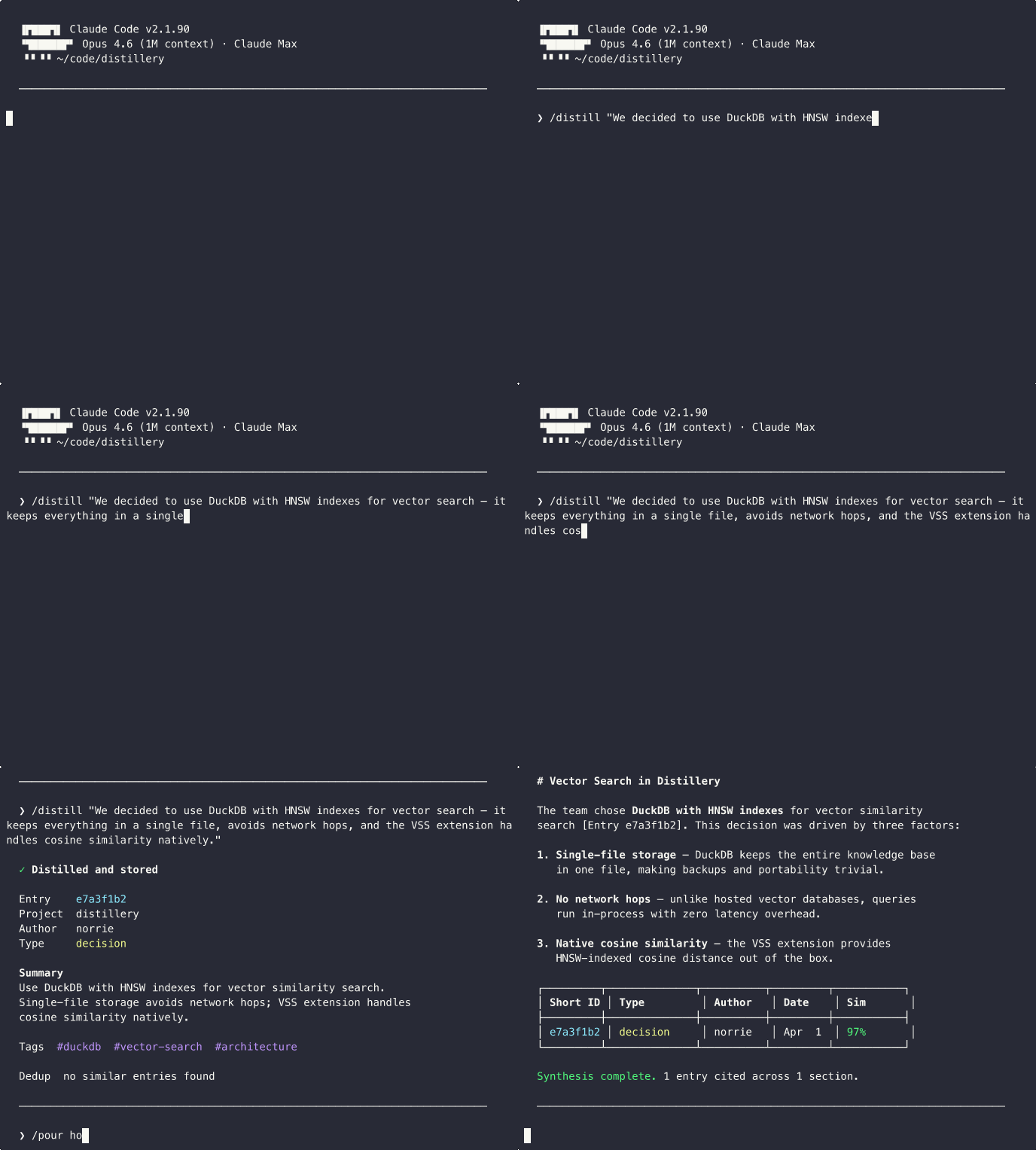
Distillery provides 14 Claude Code slash commands:
| Skill | Purpose | Example |
|---|---|---|
/distill | Capture session knowledge with dedup detection | /distill "We decided to use DuckDB for local storage" |
/recall | Semantic search with provenance | /recall distributed caching strategies |
/pour | Multi-entry synthesis with citations | /pour how does our auth system work? |
/bookmark | Store URLs with auto-generated summaries | /bookmark https://example.com/article #caching |
/minutes | Meeting notes with append updates | /minutes --update standup-2026-03-22 |
/classify | Classify entries and triage review queue | /classify --inbox |
/watch | Manage monitored feed sources | /watch add github:duckdb/duckdb |
/radar | Ambient feed digest with source suggestions | /radar --days 7 |
/tune | Adjust feed relevance thresholds | /tune relevance 0.4 |
/digest | Team activity summary from internal entries | /digest --days 7 --project myapp |
/gh-sync | Sync GitHub issues/PRs into the knowledge base | /gh-sync owner/repo --issues |
/investigate | Deep context builder with relationship traversal | /investigate distributed caching |
/briefing | Team knowledge dashboard with metrics | /briefing --days 7 |
/setup | Onboarding wizard for MCP connectivity and config | /setup |
Quick Start
Step 1: Install the Plugin
claude plugin marketplace add norrietaylor/distillery
claude plugin install distillery
This installs all 14 skills. The plugin defaults to a hosted demo server — you can start using Distillery immediately.
Demo Server:
distillery-mcp.fly.devis for evaluation only. Do not store sensitive or confidential data.
Step 2: Switch to Local with uvx (Recommended)
For a private knowledge base, run the MCP server locally with uvx — no persistent install needed:
# Get a free API key from jina.ai, then:
export JINA_API_KEY=jina_...
Add to ~/.claude/settings.json (overrides the plugin's demo server):
{
  "mcpServers": {
    "distillery": {
      "command": "uvx",
      "args": ["distillery-mcp"],
      "env": {
        "JINA_API_KEY": "${JINA_API_KEY}"
      }
    }
  }
}
Restart Claude Code and run the onboarding wizard:
/setup
See the Local Setup Guide for full configuration options, or deploy your own instance for team use.
Development
uv pip install -e ".[dev]"
# or
pip install -e ".[dev]"
pytest                              # run tests
mypy --strict src/distillery/       # type check
ruff check src/ tests/              # lint
See Contributing for the full guide.
License
Apache 2.0 — see LICENSE for details.
Server Config
{
  "mcpServers": {
    "distillery": {
      "url": "https://distillery-mcp.fly.dev/mcp",
      "transport": "http"
    }
  }
}